If you're comparing Lensmor and LinkedIn Sales Navigator, you're probably not asking whether LinkedIn matters.
Product note (checked July 2026): this guide compares workflows, not a permanent price sheet. Product packaging and availability change, so confirm current details directly with LinkedIn Sales Navigator.
It does.
The real question is whether LinkedIn Sales Navigator is enough to run your trade show prospecting workflow, or whether your team needs something that starts one step earlier.
Sales Navigator helps reps research people and accounts inside LinkedIn. Lensmor starts one step earlier by combining Exhibitors, Social Signal Attendees, and Visitor intelligence around a known trade show, revealing high-intent accounts and verified decision-makers before reps research profile by profile. Its high-value Visitor layer surfaces prospects missing from static event lists and public social signals.
Those two jobs can work together, but they are not the same job.
Short answer
Here is the fastest practical split if you are comparing them for a live trade show workflow:
In practice, many trade show teams use Lensmor first for account filtering and Sales Navigator second for people research.
Choose LinkedIn Sales Navigator if your team mainly needs lead search, relationship research, account monitoring, and LinkedIn-based sales context.
Choose Lensmor if your team is preparing for a specific trade show and needs to decide which exhibitors or companies deserve attention before outreach begins.
For person-level research, Sales Navigator is stronger.
For event-level prioritization, Lensmor is more practical.
The best workflow for many trade show teams is Lensmor first, Sales Navigator second. Use Lensmor to narrow the account list. Use Sales Navigator to inspect people and relationship paths on the accounts that matter.
What each product is built to do
The cleanest way to separate the two tools is this:
Sales Navigator answers: "Who should I understand or contact at this company?"
Lensmor answers: "Which companies at this event are worth reviewing first?"
That difference shapes the workflow.
LinkedIn Sales Navigator is built around the LinkedIn professional graph. It helps reps search for leads, save accounts, review profiles, monitor account activity, and find possible relationship paths.
Lensmor is built around event context. It helps a team move from a trade show or exhibitor list to a reviewed account plan.
Here is the practical split:
Which teams fit each tool
Sales Navigator is usually the better fit if reps already know the target accounts and need to understand people, roles, activity, and relationship paths.
Lensmor is usually the better fit if the team is still trying to turn a large trade show list into a smaller working queue.
The difference is not whether LinkedIn is useful. It usually is. The difference is whether the team already knows which accounts deserve that LinkedIn time.
Pricing and buying motion
Lensmor publishes its current plans on the pricing page. Compare current credits, exports, integrations, and coverage against the events your team plans to work.
The practical question is not just cost.
Sales Navigator is usually a rep productivity tool. Lensmor is usually an event execution tool.
If your team is doing daily social selling, Sales Navigator is hard to replace. If your team is trying to make one event produce a cleaner pipeline motion, Lensmor is closer to that operating problem.
Data and workflow differences
Sales Navigator is useful when a rep knows what to search for.
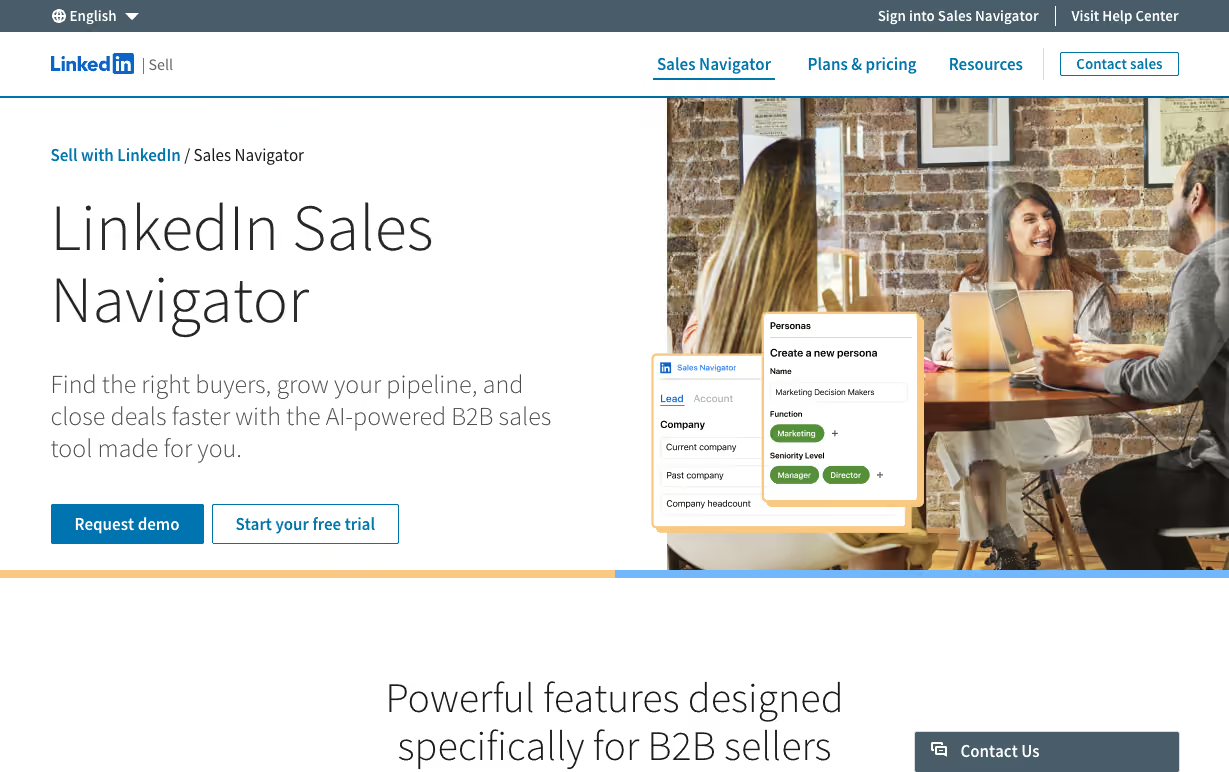
That is exactly where many trade show workflows break.
A team may have 500, 1,000, or 2,000 exhibitors. Asking a rep to open LinkedIn and research every company is slow. It also creates inconsistent judgment. One rep may chase recognizable brands. Another may chase job titles. Another may stop after the first few pages.
Lensmor helps with the earlier filter.
Sales Navigator can then help with the person-level work.
The better sequence is usually:
That is different from asking reps to brute-force the whole event list inside LinkedIn.
Real-world scenarios
The difference becomes clearer once you map it to actual teams.
Founder with 30 target accounts
If the founder already has a tight list and wants to inspect people, Sales Navigator may be enough.
The list is small. Manual research is manageable.
Sales team with a 900-company exhibitor list
This is where Sales Navigator alone becomes slow. The team first needs to decide which companies deserve research.
Lensmor is the better first step.
AE preparing for a named account meeting
If the account is already selected, Sales Navigator is closer to the job. The AE needs people, posts, roles, and relationship context.
Sales Navigator is the better fit here.
Growth team attending 6 to 8 shows a year
This team probably needs both account prioritization and person-level review. Lensmor can create the event account queue. Sales Navigator can help reps research the people behind those accounts.
Using both can make sense.
Founder-led LinkedIn outreach
Sales Navigator can help identify people and profile context. Lensmor can help decide which event accounts are worth founder time in the first place.
The stronger setup is not "one replaces the other." It is "use the right tool at the right layer."
Should you use both?
Often, yes.
Sales Navigator and Lensmor fit together more naturally than many tool pairs.
Lensmor can tell you which companies at the show deserve attention. Sales Navigator can help you understand who works there and how to approach them.
But the order matters.
If you start with Sales Navigator and no event filter, you may spend hours researching accounts that were never a good fit.
If you start with Lensmor, you can focus LinkedIn research on a smaller set of accounts with a clearer reason.
For trade show teams, that usually means Lensmor first, Sales Navigator second.
Final verdict
LinkedIn Sales Navigator and Lensmor solve different parts of the trade show sales problem.
Sales Navigator is a better fit for person-level research, relationship mapping, account alerts, and LinkedIn-based prospecting.
Lensmor is a better fit for pre-show account prioritization, exhibitor review, event-specific contact-path planning, and first-message preparation.
For teams with a small target list, Sales Navigator may be enough.
For teams staring at a large exhibitor list, Lensmor is the better first step.
The honest test is simple.
If your question is "who at this account should I understand?", look at Sales Navigator.
If your question is "which accounts at this show should sales work first?", Lensmor is the better fit.
Related reading: event intelligence platform comparison.